
Online: 404 Search Terms: What to Type Into the In-Game Internet
Updated 17 Oct 2026 · Game version: June 2026 demo (Steam Next Fest)
In Online: 404 you don’t get a recipe book. You learn skills and recipes by searching the in-game internet on your phone and reading the right article. Vague searches return junk, every article you read drains your battery, and the results page only shows five hits with no scrolling. This page lists the searches that worked in the demo, so you can type them straight in.
Demo note: everything here comes from the June 2026 demo. Search results and battery costs may change in Early Access; we will re-test them at launch.
Quick list
| What you want | Type this | What it unlocks | Battery |
|---|---|---|---|
| Open locked doors and boxes | how to open a lock with a lockpick step by step | Lockpicking | about 10% |
| Make your own lockpicks | how to make lockpicks from metal | Lock Pick recipe | about 20% |
| Fix a car | repair old car engine fast | Engine check / repair | about 15% |
| Build a workbench | workbench craft cheap spare parts | Workbench (junk 3, wood 200, metal scrap 100) | about 15% |
| Build a cheaper workbench | DIY workbench cheap | Cheap Workbench (junk 1, wood 10, metal scrap 50) | — |
| Get the building tool | building mallet hammer | Hammer (wood 25) | — |
| Light your base | gasoline wall lamp | Gasoline wall lamp | — |
| Sleep in your own base | wooden bed | Wooden bed | — |
Searches that returned nothing in the demo: flame torch, storage.
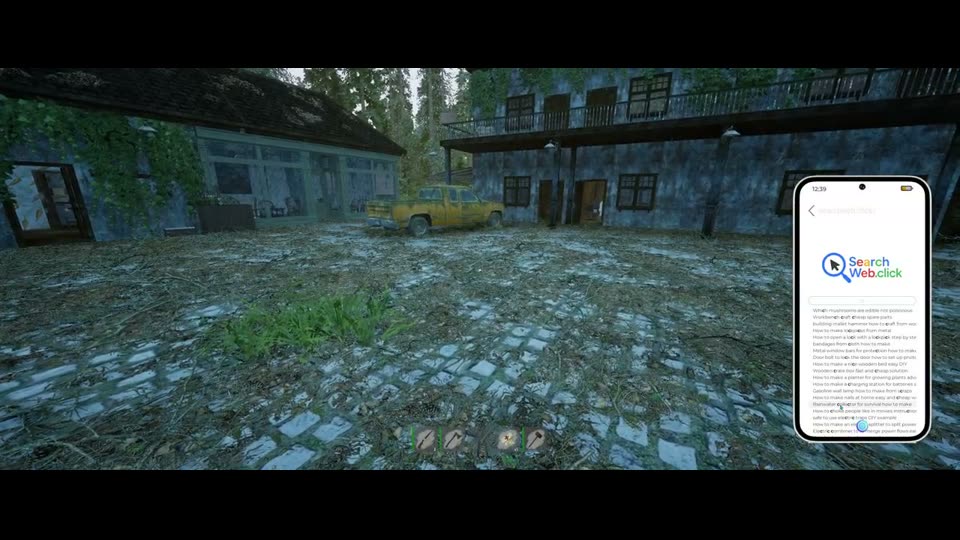
Every article title we saw
These are the titles exactly as they appeared in the demo’s search results. Each one is a working search:
- Which mushrooms are edible not poisonous
- Workbench craft cheap spare parts
- building mallet hammer
- How to make lockpicks from metal
- How to open a lock with a lockpick step by step
- bandages from cloth how to make
- Metal window bars for protection
- Door bolt to lock the door
- How to make a nice wooden bed easy DIY
- Wooden crate box
- How to make a planter
- How to make a charging station for batteries
- Gasoline wall lamp how to make from scraps
- How to make nails at home
- Rainwater collector for survival
- safe to use electric traps DIY
- How to make an electric splitter
- Electric combiner to merge power flows
- How to choke people like in movies
Typing a single word such as metal also pops up suggestions (lockpicks from metal, metal window bars, a ceiling lamp from metal), which is a quick way to discover what’s searchable.
How a search works
- Press Q to take out your phone and open Internet (the site is called Search Web.click).
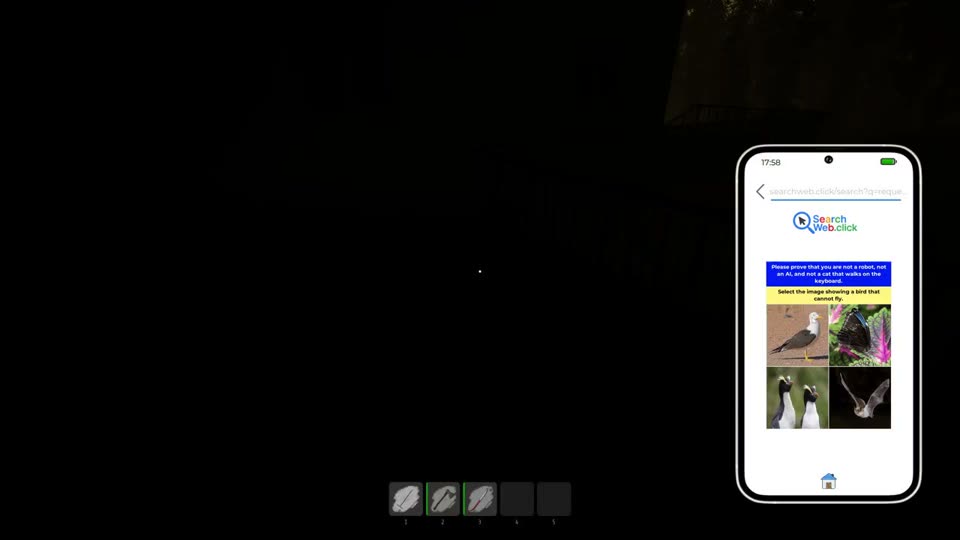
- Type the search. A joke “prove that you are not a robot, not an AI, and not a cat that walks on the keyboard” check appears first: pick the coffee, the bird that cannot fly, Uranus, and so on. The question changes every time.
- Skip the junk results (snakes with sore throats, time machines) and open the article whose title matches what you want.
- Close the pop-up ad if one appears (the demo’s favourite is “The Holy Buffering Order, from $9.99/month”), then reading starts by itself. When it finishes you get a “Study completed” toast and the cost comes off your battery.
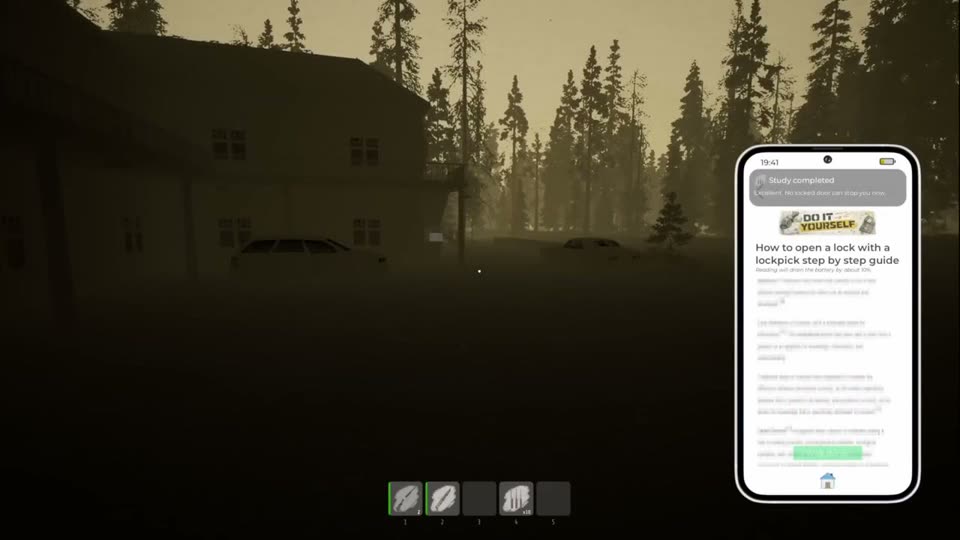
Be specific. Searches like “lock picks” or “how to do something” only bring up filler articles.
Lockpicking
You find lockpicks early (the starting area and the motel both have them), but a locked door just tells you: “You have lockpicks, but you don’t know how to use them yet. Look online for instructions.” Search how to open a lock with a lockpick step by step and open the step-by-step article. It costs about 10% battery.
Then, at a locked door or container: press E to use a lockpick, D to rotate the lock, Space to quit. Picks can break (you’ll see “-1 Lock Pick”), and a failed attempt leaves the lock shut. If the minigame is too fiddly, Settings has a Lockpicking difficulty option: Default or Simplified.
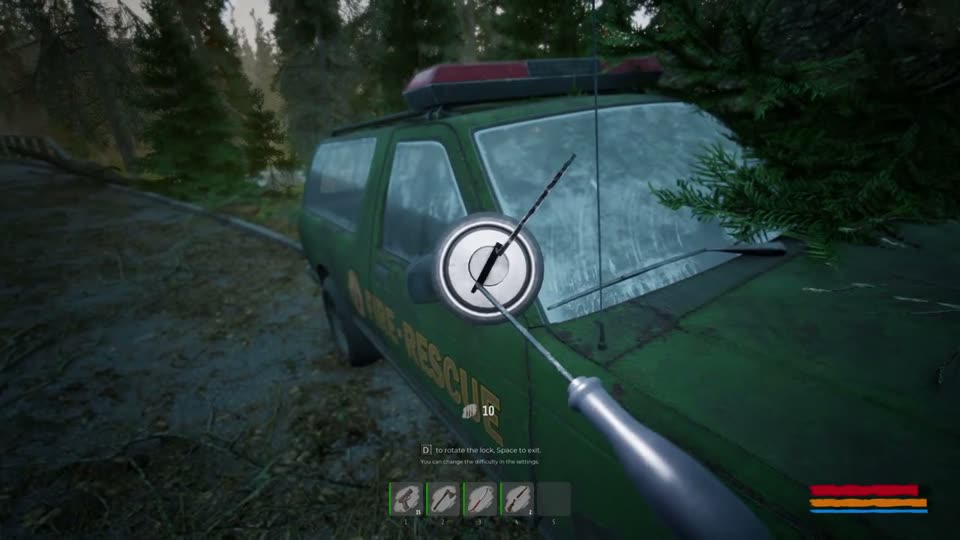
To craft more picks, search how to make lockpicks from metal (about 20% battery). The recipe then appears in your Notes app.
Car repair
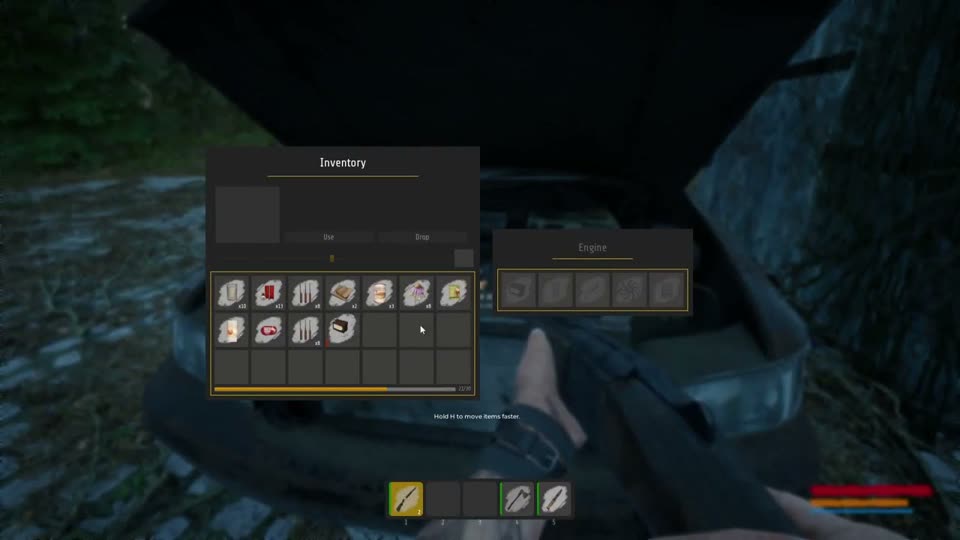
Cars under carports and in garages can be brought back to life, and a working car makes crossing the district much faster. Before you can inspect an engine, search repair old car engine fast (about 15% battery). After that, open the hood: the Engine container shows five empty part slots. The car near the motel was missing almost everything; a car battery and an exhaust part can be fitted, and it needs fuel. A car’s trunk (“Storage”, 8 slots) also works as a stash.
Workbench and hammer
Some recipes say “workbench required”. There are two workbench articles: workbench craft cheap spare parts unlocks the full Workbench (junk 3, wood 200, metal scrap 100), and DIY workbench cheap unlocks the Cheap Workbench (junk 1, wood 10, metal scrap 50). Start with the cheap one. The hammer you need for building comes from building mallet hammer and costs 25 wood. See crafting and building.
Mushrooms
Unknown mushrooms can’t be identified until you look them up (“To identify this mushroom, you should look up information about mushroom species online”). Eating one you haven’t identified can kill you. Olivia skips this step: she can identify mushrooms from the start. See characters.
Save your battery
- Each article costs 10–20%; the exact number is printed under its title.
- The phone flashlight drains the battery fast too.
- Charge with batteries or a power bank (select it, then Use). An empty power bank “can be charged at a charging station”, which you can also build: search
how to make a charging station for batteries. A car battery does not charge your phone. - If you pick Madison, you start with two fully charged batteries.
Sources
- Surviving My First Day in Online: 404 Was Brutal by OutbackBiff
- I’ve NEVER Played a Survival Game Like This… Your PHONE Is Everything! | Online: 404 [EP 1] by Mon EvenStar
- Trapped in a Quarantined Town With Only Our Phone To Save Us! - Online: 404 by ProRogueBear
- Online: 404 DEMO 💠 First Look by Kizmar
- ONLINE 404 - Full Gameplay Walkthrough Part 1 [FULL GAME] No Commentary by Zish Gaming
Spotted a step that’s wrong? Tell us and we’ll fix it and update the date.
indiewalkthrough isn’t affiliated with Cornfield Games or Cornfield Games.